Family Print Lab · free and open source
The 3D-printing workshop for the whole family.
Ideas for everyone, a workbench to design parts, your Bambu Lab printer, and a kid mode where nothing prints without a grown-up’s yes.
For Windows, macOS and Linux. Runs on your computer; your family’s data stays there.
Everything in one place
From “I have an idea” to “it’s on the shelf”
Projects
Ideas for every maker
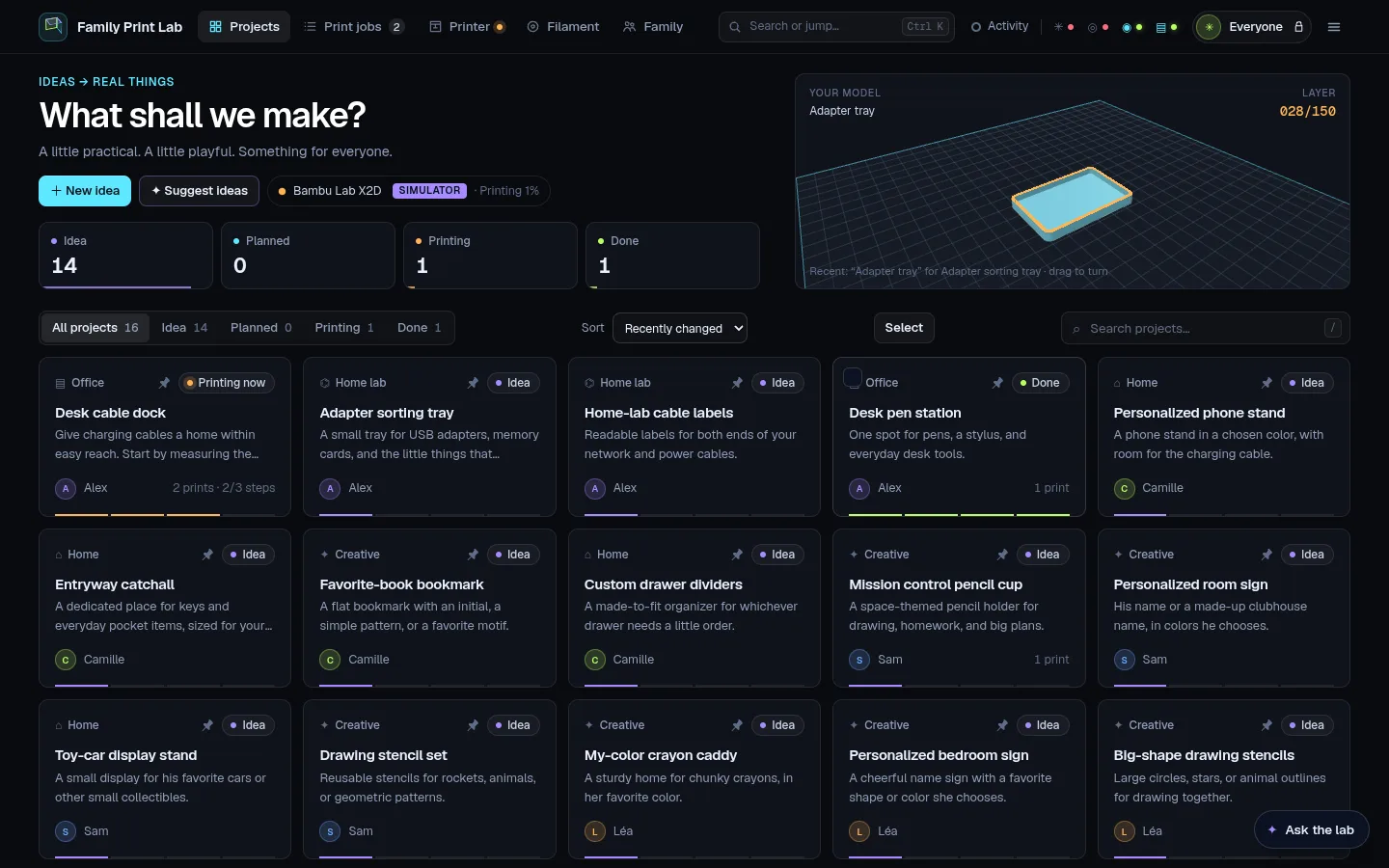
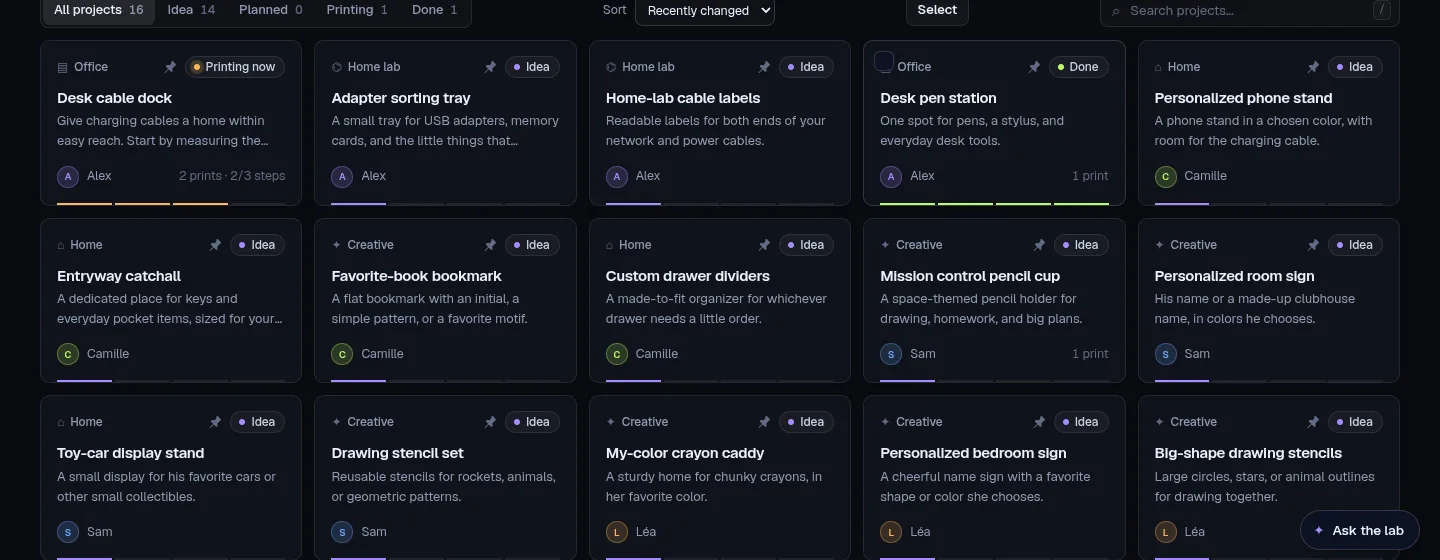
Each person gets their own space: ideas, checklists, sketches, the models and every print, from first thought to finished.
- Progress from idea to done, per person
- Sketch pad for quick drawings
- Search, pin, bulk changes, live in every open tab
Workbench
Design with sliders, not CAD
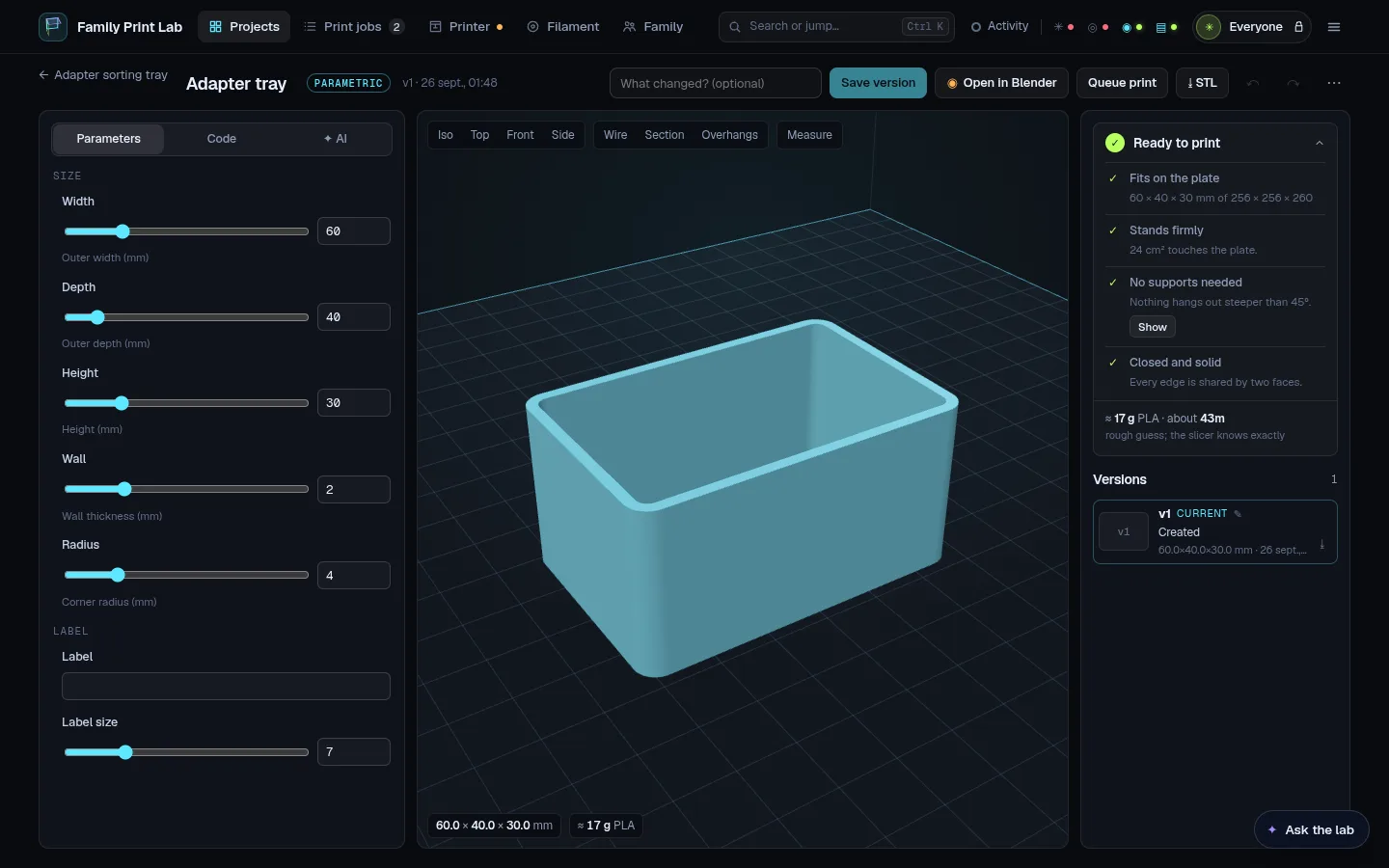
Parametric OpenSCAD parts you adjust with sliders and watch update in 3D. A print check tells you if it fits the plate, stands firmly and needs supports.
- Mesh tools: scale, cut, drill, combine, lay flat
- Every change is a version you can go back to
- Round-trips to Blender; download STL or 3MF
Printer
Your Bambu Lab printer, live
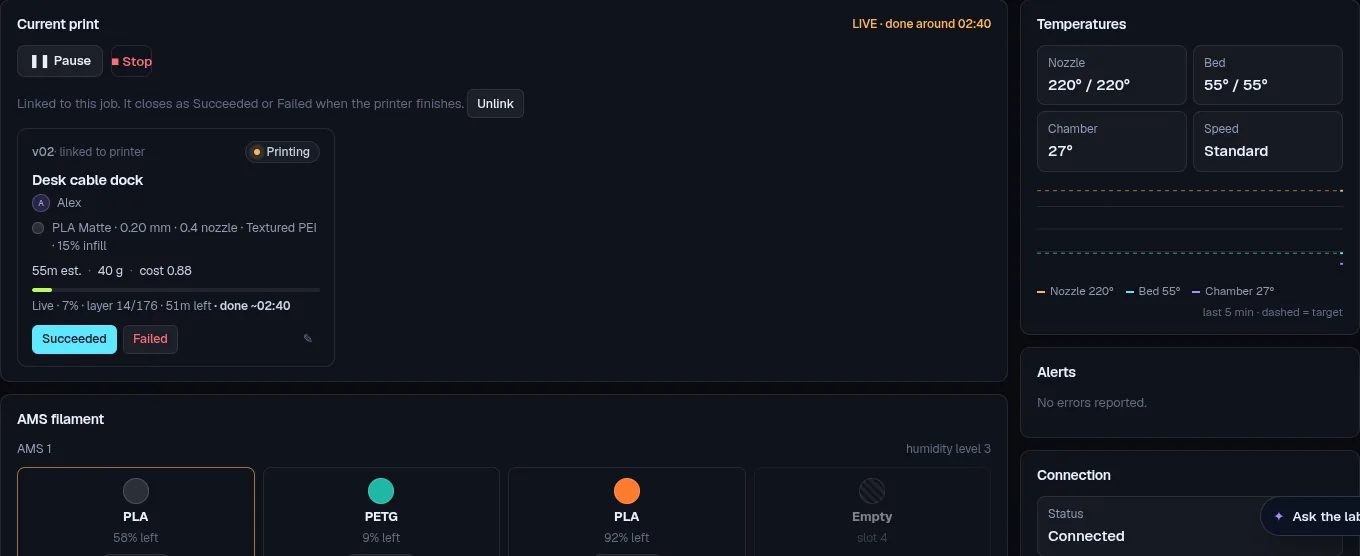
Slice with Bambu Studio, send the plate, and watch progress, temperatures and the AMS filament from any tab. Pause or stop when you need to; jobs close themselves when the print ends.
- Local network only: no cloud needed for the printer
- Commands only when you press a button
- Works with Bambu Lab printers in LAN mode
Filament
A filament shelf that counts itself
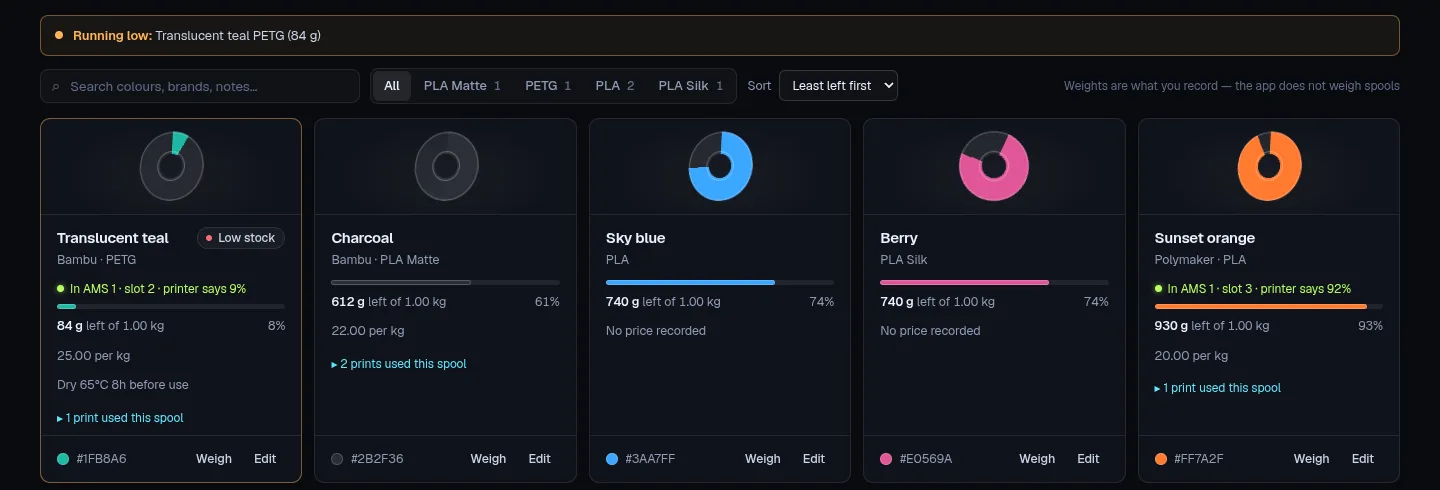
Every finished print is charged to the spool it used, so you know what is left before a long print, with low-stock warnings and the AMS slots it matches.
- Weights and costs per spool
- Exact refunds when a job is edited
- Colours kids pick from in kid mode
AI help, with your own subscription
Describe it, sketch it, get a model
Ask for a part in words or from a drawing and get an editable OpenSCAD model. Diagnose a failed print from a photo, get slicer settings and build checklists. Uses your Claude or ChatGPT subscription, or an Anthropic API key; nothing is sent until you turn it on.
Safe with your data
Yours, on your computer
A local database with automatic daily backups, export and import, and live sync between open windows. Open source (AGPL-3.0), so you can check everything it does.
Kid mode
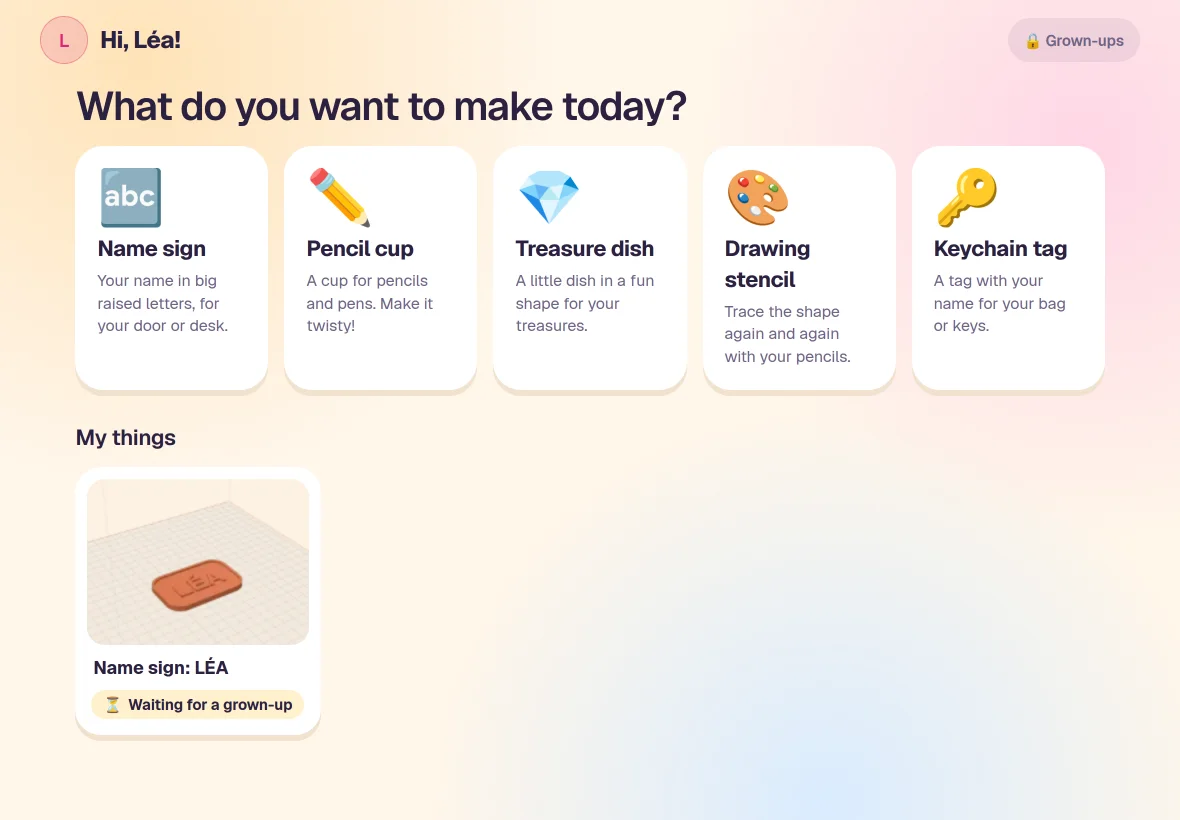
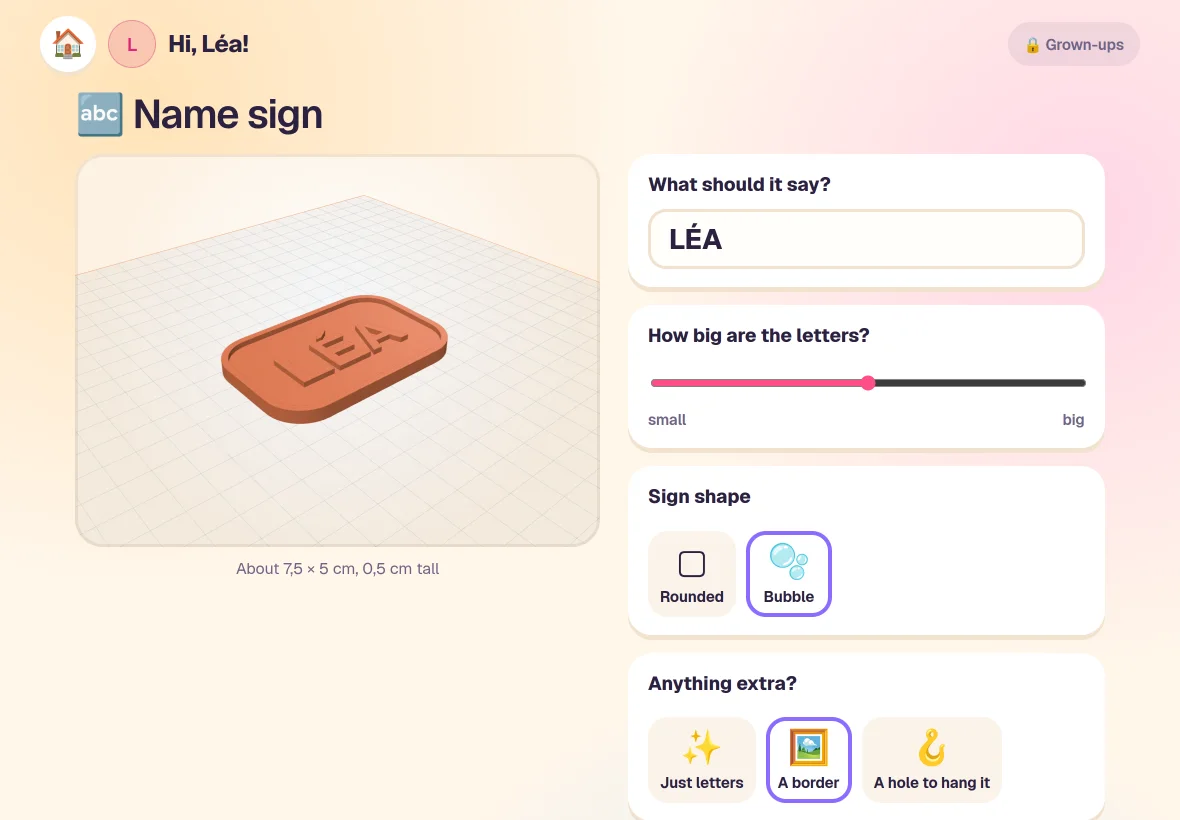
Big buttons, safe templates, their own ideas
Kids pick something to make, change the words, the size and the colour, and watch it turn in 3D. Every template keeps parts sturdy and safe for their age, and leaving kid mode needs a grown-up’s PIN.
Print Lab Cloud · optional
Say yes from anywhere
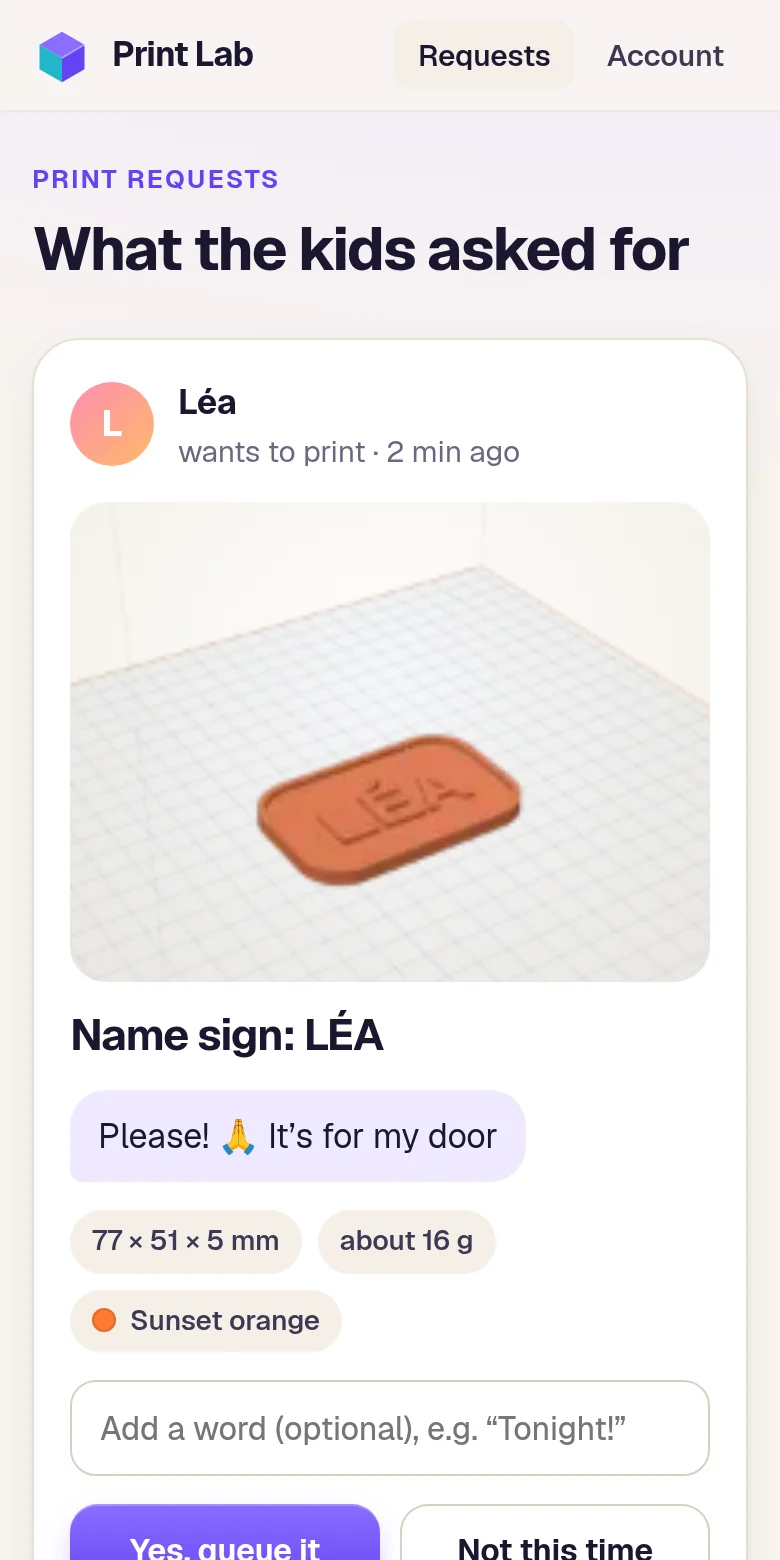
When a kid asks to print something, your phone buzzes. Look at it, add a word, tap yes: it’s queued at home, and they see your answer.
- Link your Print Lab with a code, once.
- Kids ask from kid mode.
- You answer from the phone app, with notifications.
Privacy by design
Your home stays at home
What the cloud receives
- Each print request: the child’s first name (or “Your child”), the title, their message, size, colour and a small picture
- Your email address and plan
What never leaves your computer
- Ages, models, sketches, projects and history
- The printer: the cloud can only say yes or no to a request
- Notifications carry no content, so nothing about your kids passes through Apple’s or Google’s servers
Pricing
Free at home. A small plan for the phone.
Prices include VAT. Cancel anytime from your account.
Family Print Lab
Free
Open source, runs on your computer.
- Projects, workbench, printer, filament
- Kid mode with safe templates
- Answer requests on the computer
Family plan
€4.99 / month
or €48 a year (two months free)
- Answer from your phone
- Notifications when kids ask
- 300 credits every month
Credits
from €5
For hosted extras as they arrive. Credits never expire.
- 500 for €5
- 1,100 for €10
- 3,000 for €25
Questions
Good to know
Which printers does it work with?
Bambu Lab printers in LAN mode (with Developer Mode on). Everything else in the app, from projects to the workbench and kid mode, works without a printer.
Do I need the cloud to use Family Print Lab?
No. The app is free and works fully at home. The cloud only adds answering from your phone.
Can the cloud control my printer?
No. It can only approve or decline a request that is waiting. The app checks every answer the same way as when you answer on the computer.
What happens if I cancel?
The plan runs until the end of the period you paid for, then stops. Your credits stay yours.
Do kids need an account?
No. Only grown-ups sign in. Kids use kid mode on the family computer or tablet.